Set up an apartment network you can take with you
Plan a reversible connection for a rental without leaving a maze of cables or settings for the next tenant.
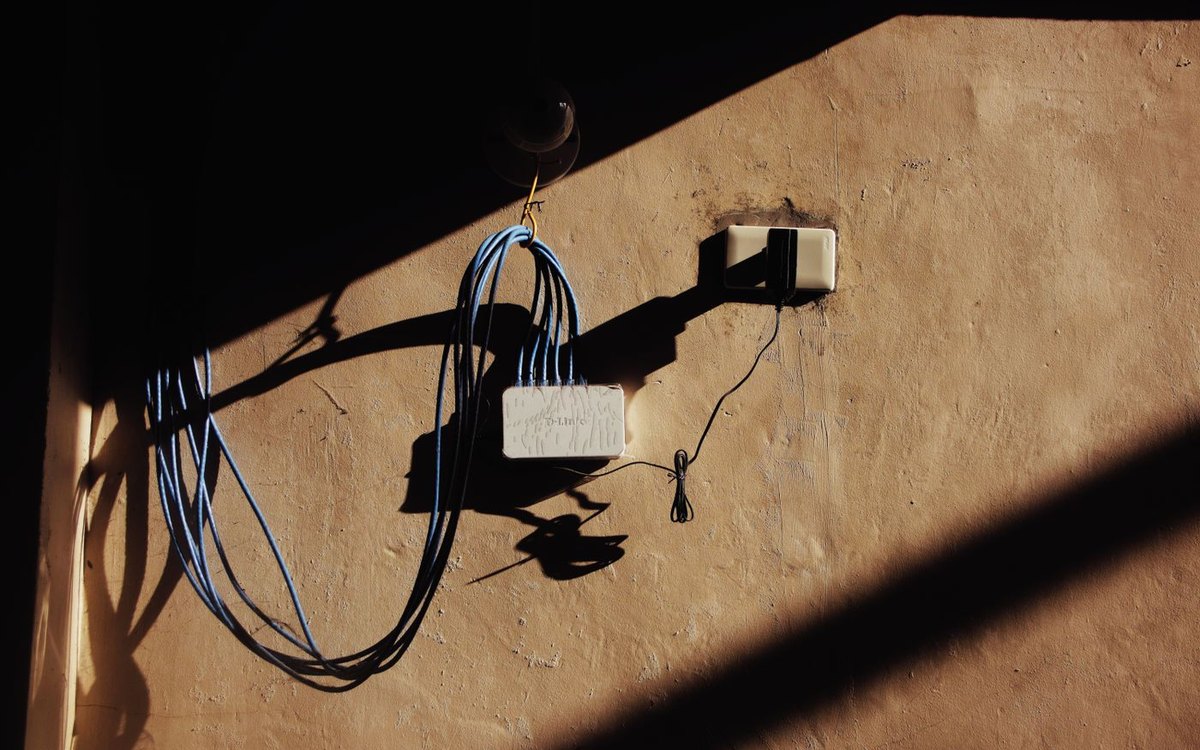
The keys to a new apartment usually arrive before the internet paperwork has settled. There may be a fiber box already attached to the wall, a provider router on a high shelf or an Ethernet port whose other end no one can identify. You may also be allowed to change very little about the building itself. A good apartment setup starts with those constraints. Establish what belongs to the provider or landlord, decide which equipment you want to carry to the next place and make the ordinary connection easy to undo.
Record what comes with the apartment
Before buying a piece of hardware, note the connection that already exists. A provider can tell you what the line and existing equipment support. The lease or building arrangements may establish who supplies service and which fixtures stay in the apartment. Keep written details of the provider equipment that was there when you moved in. Record its model and the unambiguous location of the wall connection. Put any serial numbers or account information in private records suitable for those details. A simple floor plan with the outlet, router and rooms where you work is enough for the technical part.
Find out who pays for the line and who is allowed to ask for support. In a building that provides service to residents, your router might connect differently than it did on an individually arranged plan. Follow the published setup instructions, even if another port happens to look like an internet connection. Record when the service can be activated and whether you need to return any equipment when you leave. A common move-out difficulty is distinguishing a router you own from a similarly shaped unit the provider expects back.
If you plan to share the apartment, decide which person owns the account and which person should reach support if the connection goes out. Keep administration under the arrangement agreed by the residents and the provider. A list shared with everyone can describe the location of the equipment, the ordinary Wi-Fi access method and the approved contact route. Keep the management details and account credentials separately. The difference matters most after someone moves out or a new flatmate joins.
Use furniture to solve the first placement problem
Your working setup may only need a stable shelf and one clear cable run. Check ordinary use from the locations where service matters most. If a wired connection for a fixed desk makes sense, try a temporary cable before buying clips, extra hardware or an unusually long patch cord. Run the temporary test where it will not cross a walking route. Confirm that an ordinary meeting or upload works, then decide how the cable can sit safely within the room. Reversible mounting should still follow the building’s rules and the equipment maker’s ventilation and weight requirements.
Pay attention to the door and to furniture that moves. A cable could pass neatly next to a desk until the chair is rolled backward or someone closes a cabinet. Avoid trapping cable ends under heavy furniture and avoid configurations that strain the wall outlet. Use an appropriate length and respect the manufacturer’s bending limits. If a permanent installation would clearly solve a real need, ask the building manager what they allow. The result of the temporary test helps you describe the route you actually need.
A setup meant to travel can carry its own pieces together. Use labels that explain purpose instead of abstract numbers. One useful label says “wall connection to router.” Another says “desk Ethernet.” If an adapter belongs with a particular device, keep the two together when packing. Think about cold mornings when someone might have to reconnect equipment in low light. A person who can reach the power switch without moving a bookcase is more likely to restore service cleanly using the ordinary instructions.
Decide whether to preserve a wireless name across moves
Reusing the same Wi-Fi name and compatible security settings can make personal devices connect at the new place without visiting their settings again. That works best if the credentials are still appropriate and the configuration belongs to you. At the next apartment, leaving a former flatmate’s device able to connect is a poor trade for convenience. Choose a fresh credential when access relationships change. Decide whether to reuse the name only after considering the privacy and security of the setup you are carrying.
Make a list of difficult devices before changing the network. A printer and a small screenless accessory may take more time than four laptops. Find the official reconnection procedure and note whether it requires a phone on the same network. Some products rely on access credentials, individual accounts and local controller setup in different parts of the process. Connect the equipment that keeps the household running first, then move optional devices one at a time. Keep the old equipment available until you have verified the required tasks and recorded the new names.
If the internet comes from a building-managed network, confirm how the provider handles personal equipment. A device added to make a personal connection more convenient can be unable to use certain building features or subject to equipment restrictions. Consult their support route for the allowed setup. When the household will use a printer or a cast target locally, ask how the resident network handles that kind of connection. Buying hardware before reading the policy can leave you with an extra box and the same practical limitation.
Plan for installation day and the last day
Keep an offline copy of the installation appointment and provider details. Move the router and approved power supply together. Save settings through a supported export if needed and protect the exported file because it may contain credentials. Store an explanation of which settings matter without exposing it to everyone who helps carry boxes. If the new line activates after your arrival, decide what you can do offline and which short tasks you can accomplish over an approved mobile connection. An interim plan can avoid pressure to accept equipment or a service plan you did not intend to keep.
At the old place, identify every cable and power supply that needs to stay. Use the property or provider instructions for returning equipment. Ask which settings, if any, the provider intends you to remove before sending it back. For personal hardware, decide whether it is coming with you or being transferred. Follow supported reset instructions before another person receives a device that held your configuration. If someone remains in the apartment, time the account handoff so the connection does not disappear while they rely on it. Document the actual point at which responsibility changes.
At the new place, create a short baseline after a normal day. Note how an ordinary call behaves, which room struggles during household use and which equipment is connected by wire. Check that doors and storage can be used normally before committing to a path. Add the provider details you learned on installation day. Updated notes also reveal whether an old assumption about the building was wrong. The map should evolve with the connection, not become a record of every possibility you considered while waiting for service.
Make a handoff that takes one conversation
Walk a flatmate through the installed setup once, with no equipment unplugged. Show the main outlet, the router and any switch that has a legitimate place in the layout. Describe which lights normally appear and what a resident can safely do if the connection stops. An apartment may contain an alarm, an intercom or equipment assigned to a separate service. Label the router's power supply clearly so ordinary troubleshooting does not interrupt another system. Keep a version of the handoff short enough to read from a phone if the connection is unavailable.
If an arrangement changes, update the handoff at the same time. A new cable neatly routed behind a shelf can be difficult to discover without a label at its other end. Mark the old cable as spare before packing it into a drawer. If two people know the current layout, one can help the other over the phone by naming the same physical pieces. The result is a home connection that someone can operate during an ordinary busy evening even when the person who installed it is away.
Keep the move portable instead of rebuilding the old apartment
The next apartment will have different places to work and different building limitations. Bring the useful parts: the compatible hardware, its known power supply, clearly labeled cables and one current record. Leave the layout decisions to the rooms in which you will use them. A wired route across a hallway that made sense in one home may be unnecessary when the new desk sits adjacent to the service point. Give the household a few days to settle before adding devices that commit it to a more complex arrangement.
The setup is ready when a resident can explain which box stays, which one leaves and who to call if a light on the provider unit changes. Any necessary extension should have a clear job. Look after the basic connection and keep its normal recovery in reach. The success of a rental network is easy to see at the next move: the equipment comes down in a reasonable order, the right items are returned, and the same people can get back online without reconstructing their old living room.